The dashboard provides an overview of your repair shop's activity and key metrics.
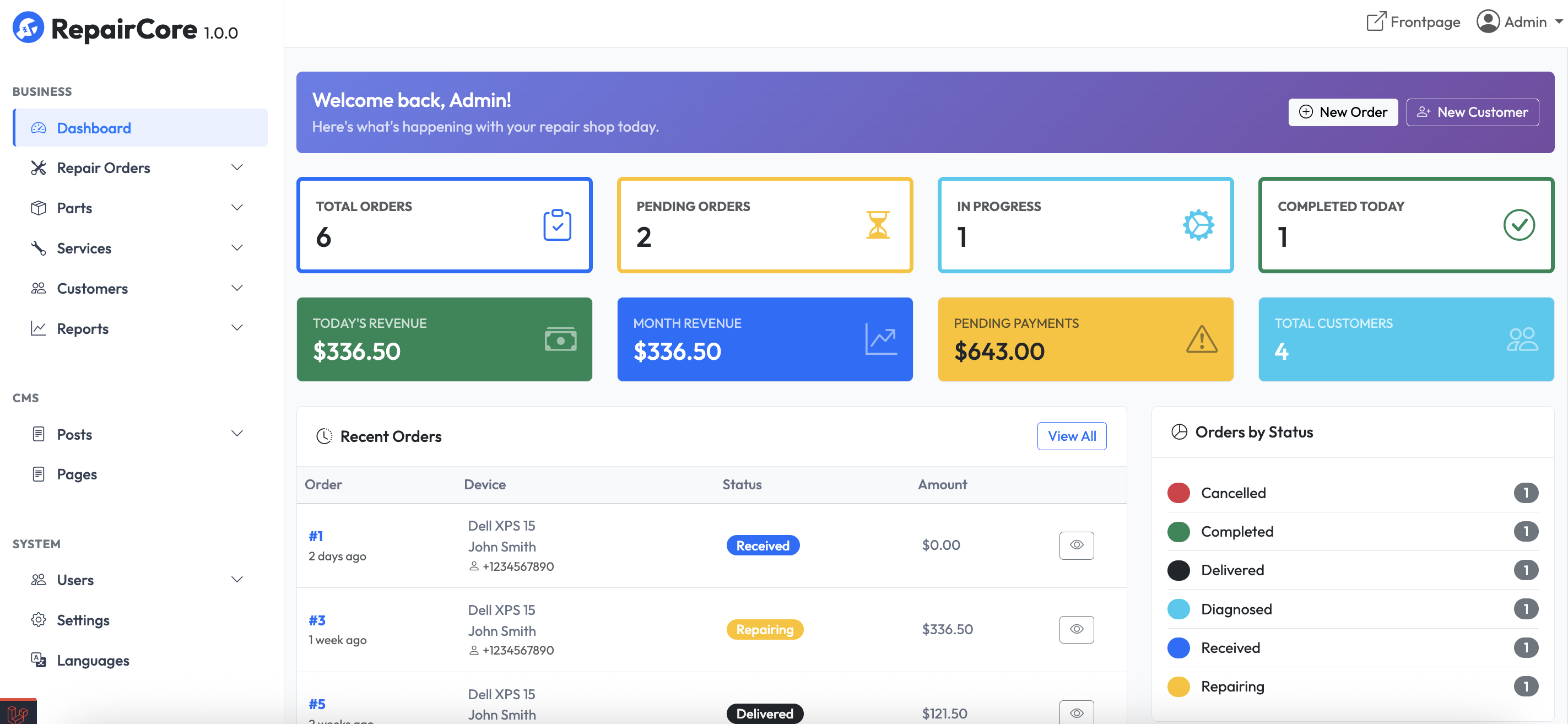
Accessing the Dashboard
After logging in, you are automatically taken to the dashboard. You can also click Dashboard in the sidebar menu.
Dashboard Widgets
Order Statistics
View repair order counts by status:
| Metric | Description |
|---|---|
| Total Orders | Total number of orders |
| Pending | Orders awaiting action |
| In Progress | Orders being worked on |
| Completed Today | Orders completed today |
Revenue Overview
View financial summary:
- Today's revenue
- This month's revenue
- This pending's revenue
- Total customers
Recent Orders
Shows the most recent repair orders:
- Order Id
- Device
- Status
- Amount
Click an order to view details.
...
Customizing Dashboard
The dashboard layout is fixed;
Navigation
From the dashboard, use the sidebar to navigate to:
- Repair Orders - Manage orders
- Customers - Manage customers
- Parts - Manage parts
- Services - Manage services
- Customer Devices - Manage devices
- Reports - Generate reports
- Content - Manage content
- Users - Manage staff
- Settings - Configure system
- Languages - Manage languages