Configure the website footer content and layout.
Overview
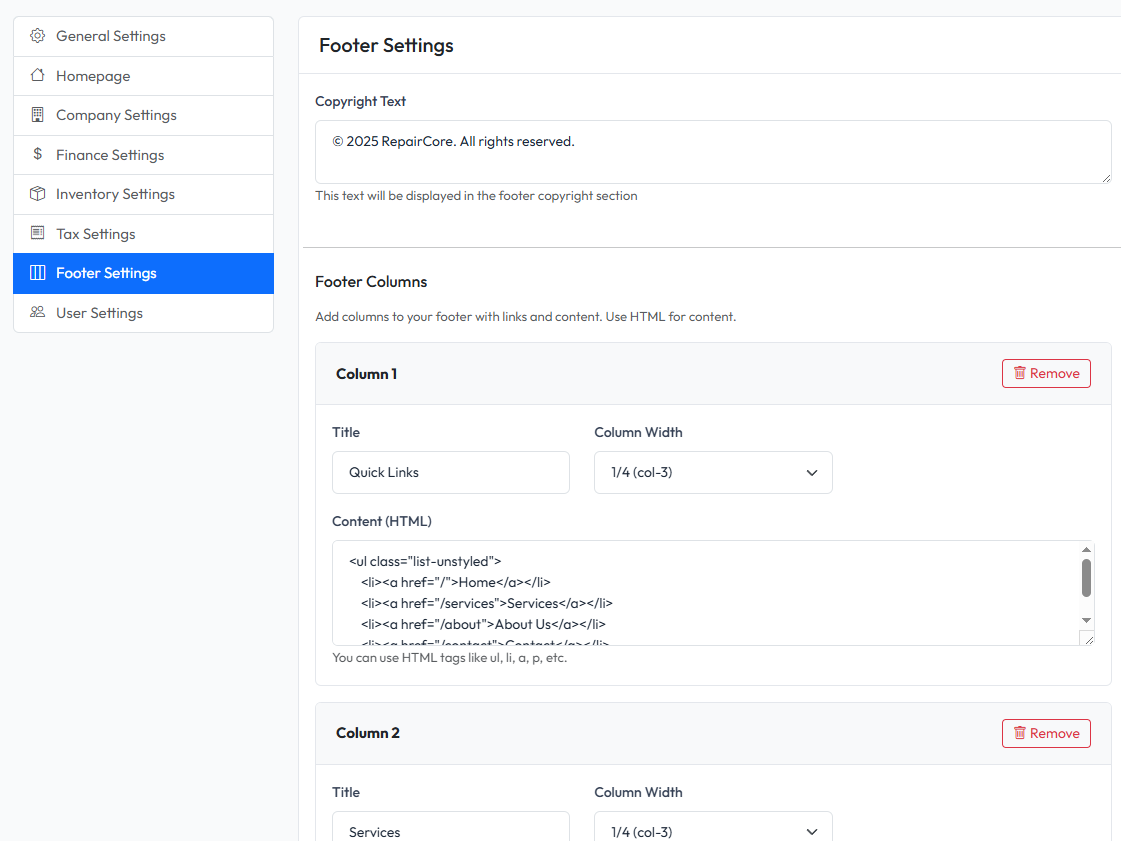
Footer settings allow you to customize the footer section that appears on all frontend pages. You can set copyright text, footer columns, and social media links.
Accessing Footer Settings
Navigate to Settings > Footer in the admin panel.
Copyright Text
Set the copyright notice displayed at the bottom of the footer.
Example:
© 2025 RepairCore. All rights reserved.
Footer Columns
Configure up to 4 footer columns, each with:
- Title - Column heading
- Content - Column content (supports HTML)
Typical Column Setup
| Column | Content |
|---|---|
| About | Brief company description |
| Quick Links | Navigation links |
| Services | List of services |
| Contact | Contact information |
Saving Changes
- Modify footer settings
- Click Save Settings
- Changes appear immediately on frontend