Generate payment receipts for completed transactions.
Overview
A receipt confirms that payment has been received from the customer. It serves as proof of payment for the repair order.
When to Use
- After receiving full or partial payment
- Customer requests payment confirmation
- For accounting records
Generating a Receipt
- Open a repair order with payment recorded
- Click Receipt button
- PDF opens in a new tab
- Print or send to customer
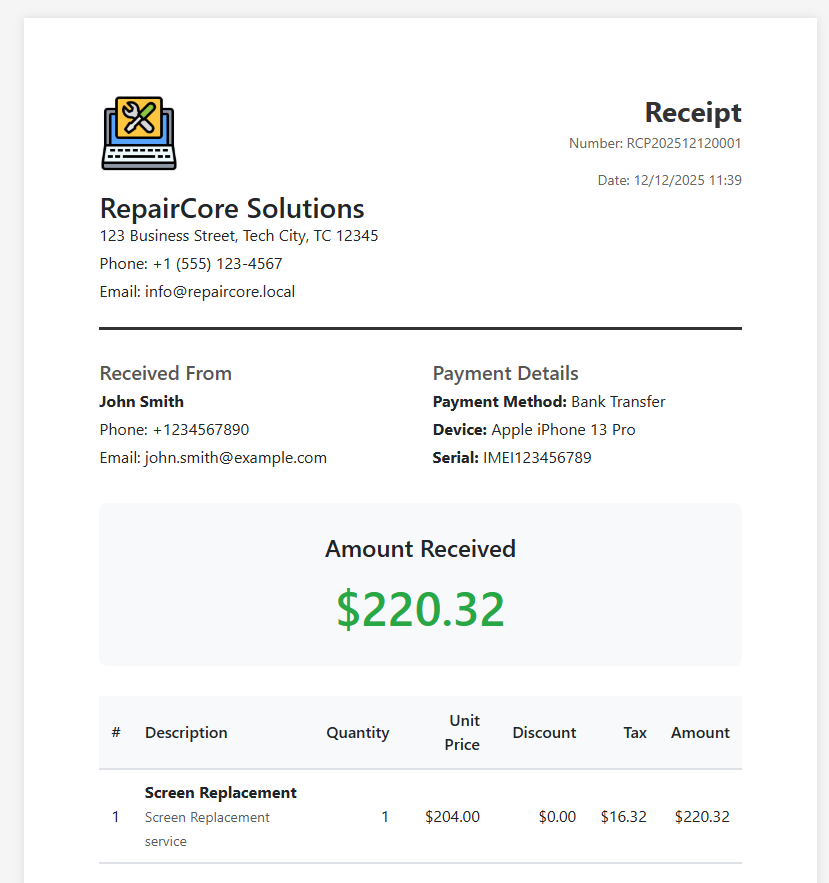
Receipt Contents
Header
- Company logo and information
- Receipt number (format:
RCP202412120001) - Date and time of payment
Customer Information
- Customer name
- Contact details
Payment Details
| Field | Description |
|---|---|
| Order Code | Reference to repair order |
| Invoice Number | Related invoice (if generated) |
| Payment Method | Cash, Card, Bank Transfer, etc. |
| Amount Paid | Payment amount |
Order Summary
- Brief description of services/parts
- Total order amount
- Previous payments (if any)
- Current payment
- Remaining balance
Footer
- Thank you message
- Company contact details
- Terms and conditions
Receipt Number
Receipt numbers are automatically generated:
- Prefix:
RCP - Date:
YYYYMMDD - Sequence:
0001
Example: RCP202412120001
Status Requirements
Receipts can only be generated when:
- Order status is Repairing, Completed, or Delivered
- Payment has been recorded (payment_status is
partialorpaid)
Multiple Receipts
For orders with multiple payments:
- Each payment can have its own receipt
- Receipts show payment history
- Running balance is displayed