Create and manage blog posts for your website.
Overview
The blog system allows you to publish articles and updates on your website. Posts can be categorized, tagged, and scheduled for publication.
Accessing Posts
Navigate to CMS > Posts in the admin panel.
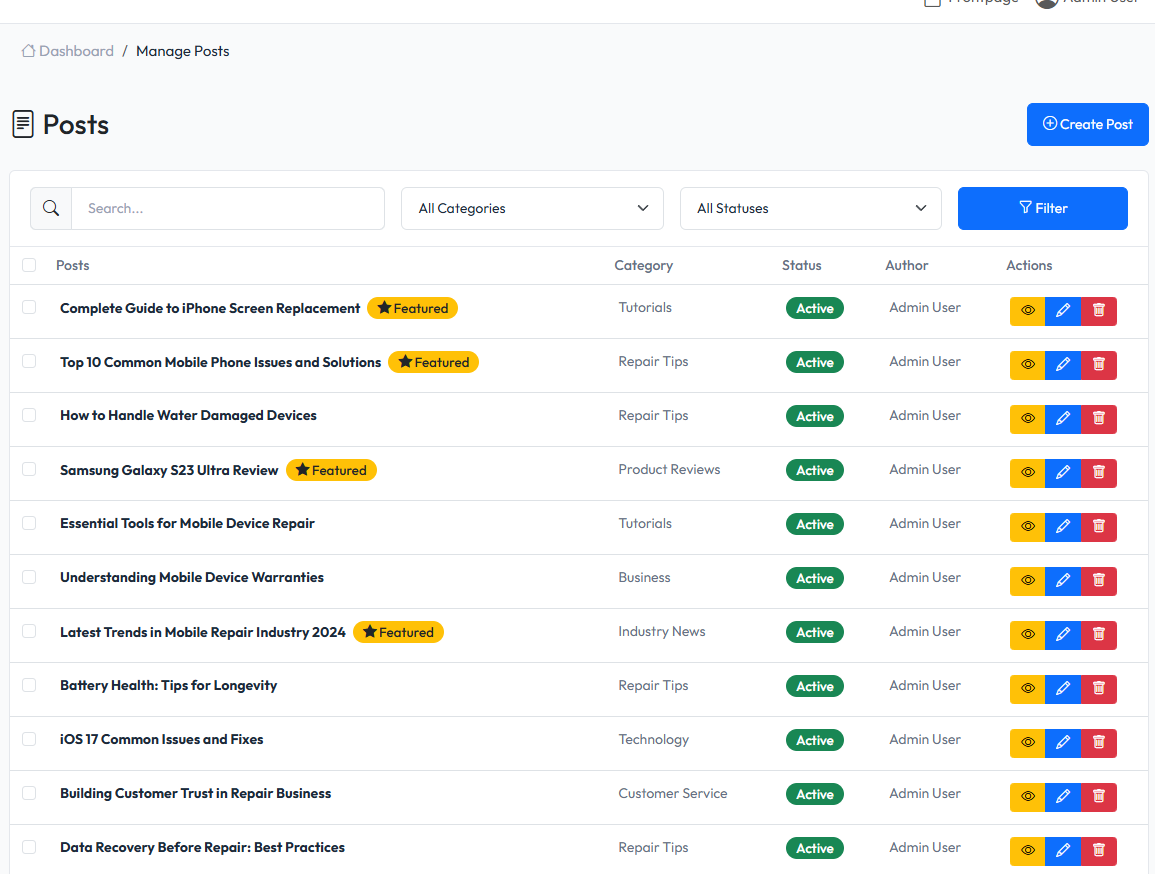
Post List
The post list displays:
- Post title
- Category
- Author
- Status (Draft, Published)
- Publication date
- Actions (Edit, Delete)
Creating a Post
- Click Create Post button
- Fill in the post details
- Click Save or Publish
Post Fields
| Field | Description |
|---|---|
| Title | Post title (required) |
| Slug | URL-friendly identifier (auto-generated) |
| Content | Post body content |
| Excerpt | Short summary for listings |
| Featured Image | Main image for the post |
| Category | Post category |
| Tags | Keywords for the post |
| Status | Draft or Published |
| Published At | Publication date and time |

Post Status
- Draft - Not visible on frontend, work in progress
- Published - Visible on frontend
Categories
Organize posts into categories:
- Each post can belong to one category
- Categories help visitors find related content
- Categories can have parent categories (hierarchy)
Tags
Add tags to posts for additional organization:
- Posts can have multiple tags
- Tags provide cross-category linking
- Useful for related content suggestions
SEO Settings
Each post includes SEO fields:
- Meta Title - Custom title for search engines
- Meta Description - Description for search results
- Meta Keywords - Keywords for SEO
Featured Image
Upload a featured image for:
- Post thumbnails in listings
- Social media sharing
- Header images
Editing Posts
- Click on post title or Edit button
- Modify post details
- Click Save to update
Deleting Posts
- Click Delete button on post row
- Confirm deletion
- Post is soft-deleted (can be restored)
Bulk Actions
Select multiple posts to:
- Change status (Draft/Published)
- Delete selected posts