Manage languages and translations for your application.
Overview
The Languages feature allows you to add multiple languages to your application and translate content using the built-in translation tool.
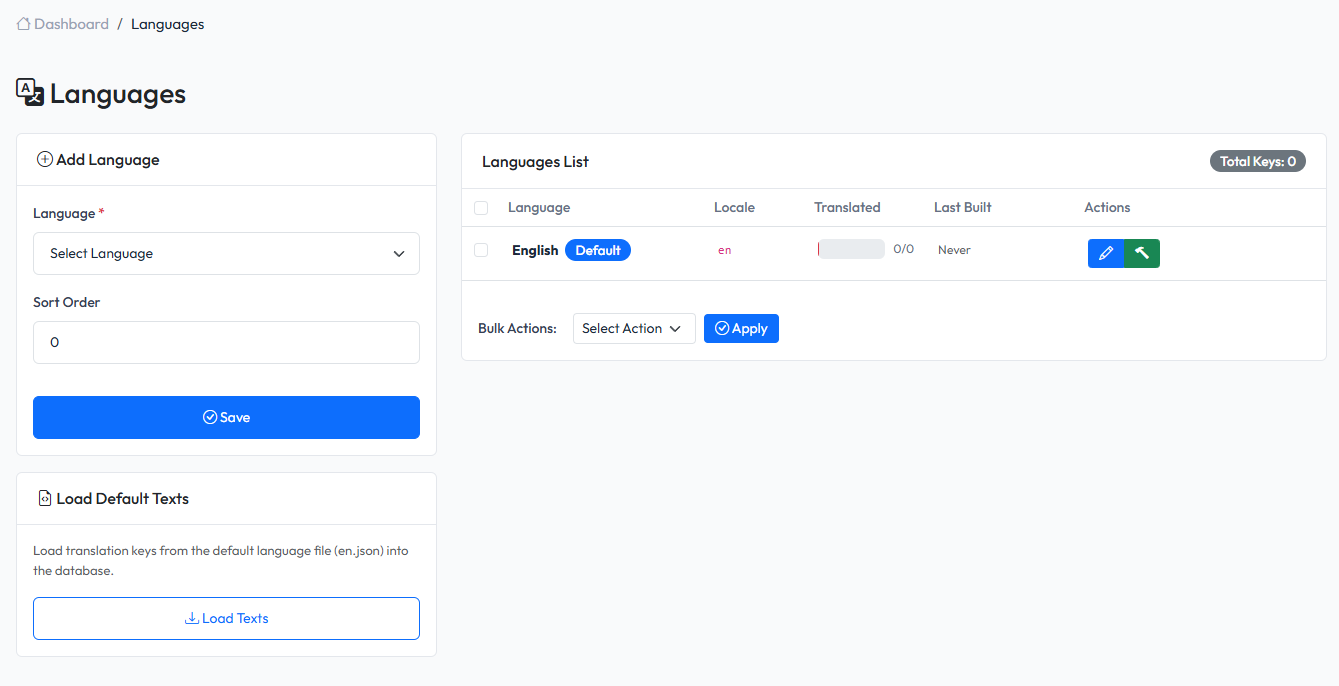
Accessing Languages
Navigate to Languages in the admin panel.
Language List
The language list displays:
- Language code (e.g.,
en,vi,ja) - Actions (Edit, Delete)
Adding a Language
Fill in language details:
- Name - Language name (e.g., Vietnamese)
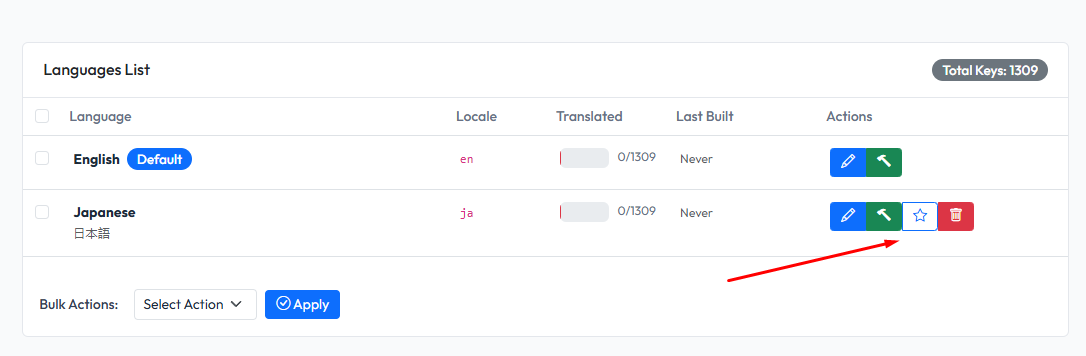
Setting Default Language
Click on star icon in language row
Translation Tool
The built-in translation tool helps you translate strings in your application.
Steps to Translate
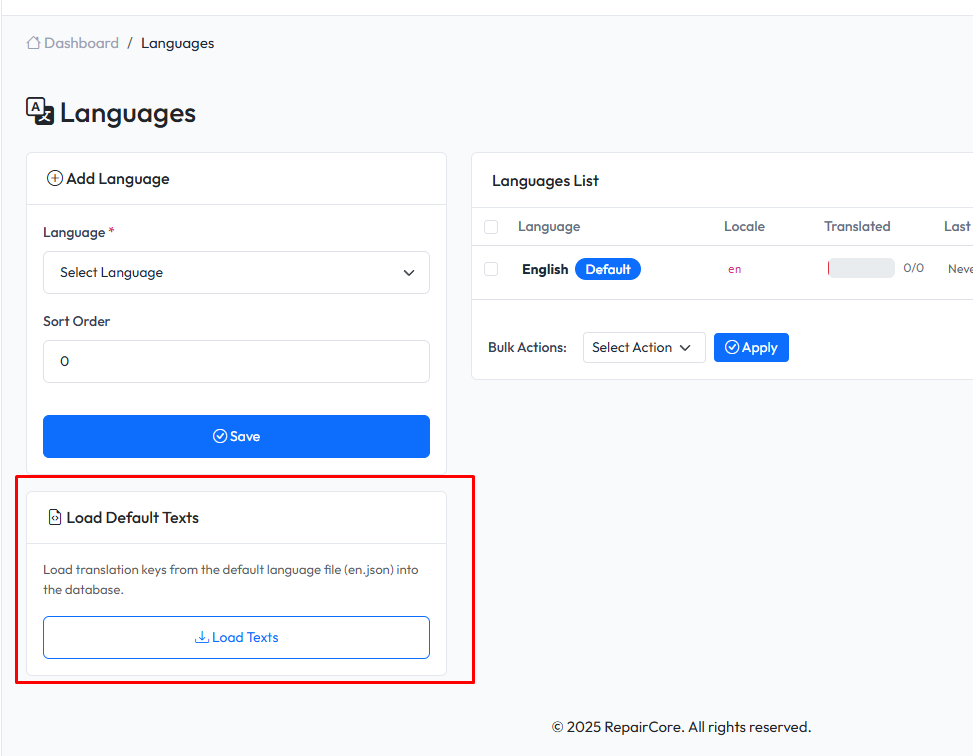
- Load Default Texts
- Translate
- Build language file
1. Load Default Texts
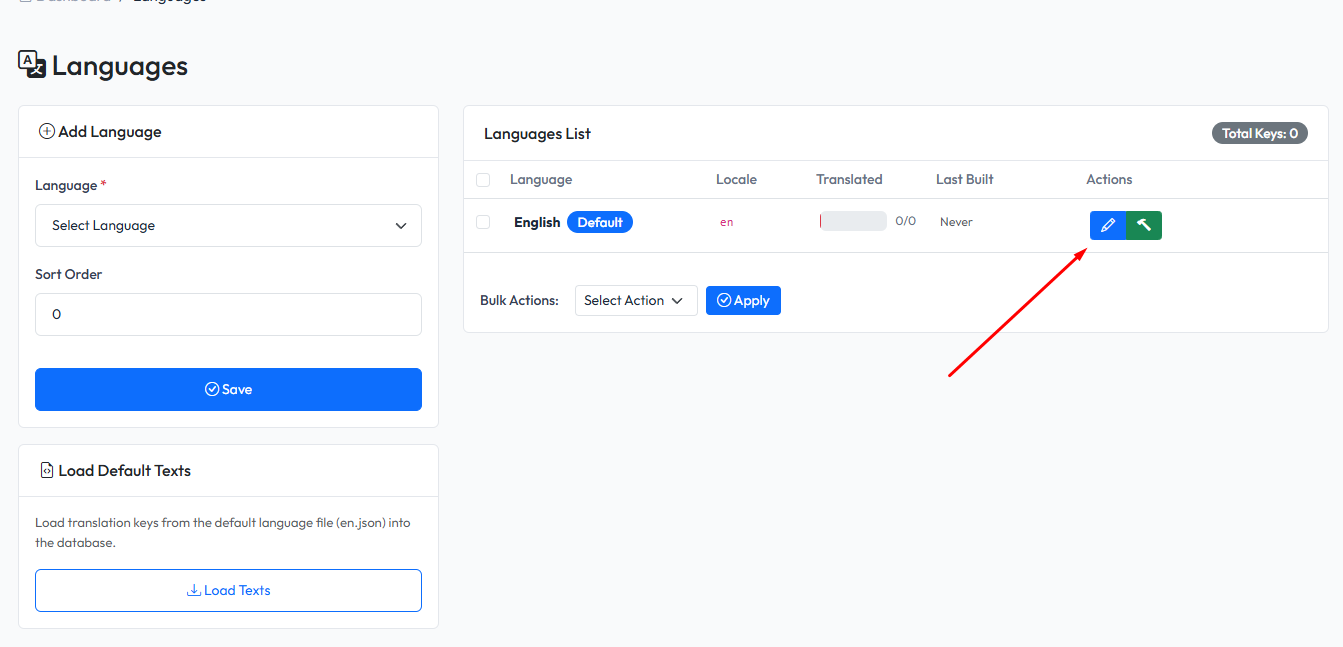
2. Translate
Click Translate button on a language
Translation Interface
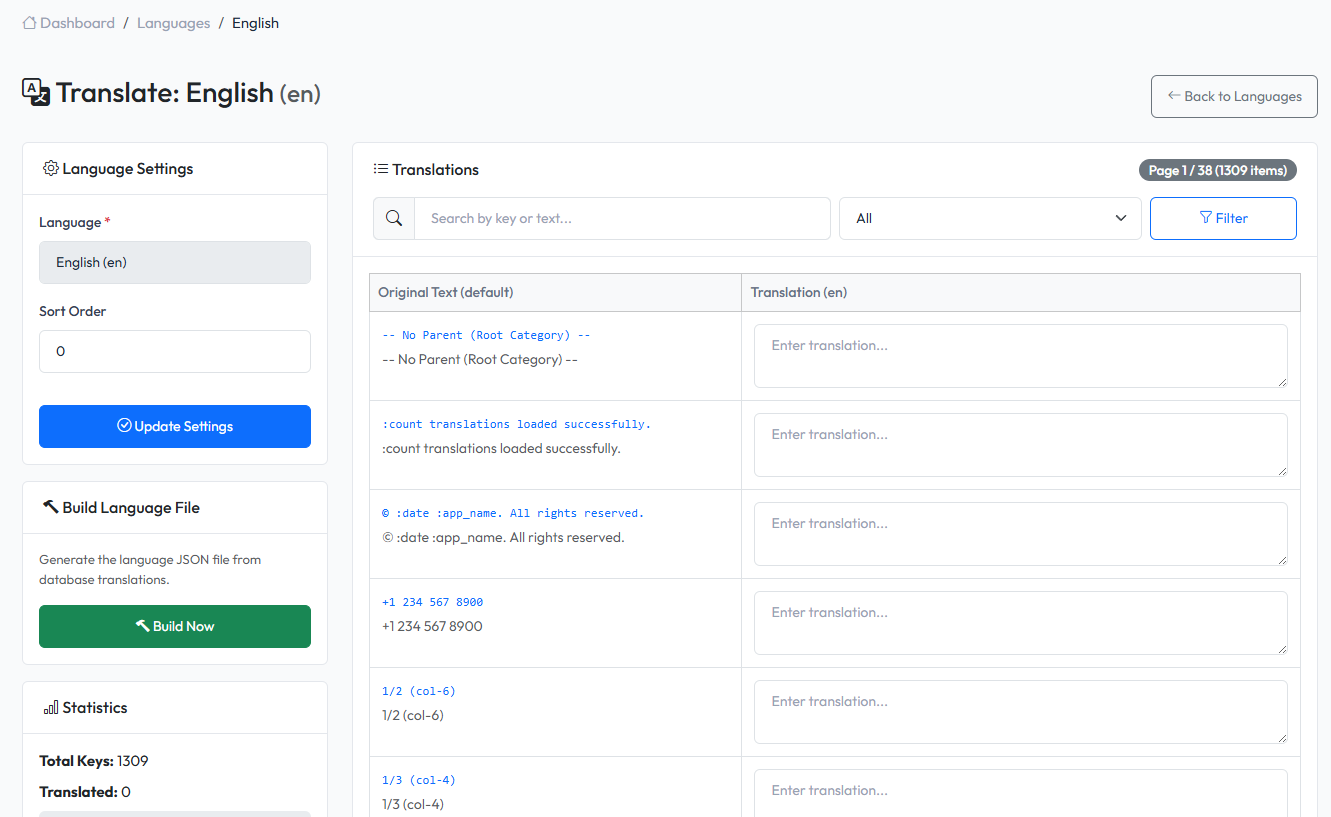
| Column | Description |
|---|---|
| Key | Original text or translation key |
| Translation | Translated text |
| Status | Translated or Pending |
Translating Strings
- Find the string to translate
- Enter translation in the text field
- Click Save or press Enter
- Translation is saved immediately
Filtering Translations
Filter translations by:
- All - Show all strings
- Translated - Only translated strings
- Untranslated - Strings needing translation
Search
Use the search box to find specific strings by:
- Original text
- Translation key
- Translated text
How Translations Work
- Code uses
__('Original Text')helper - System looks for translation in current language
- If found, displays translated text
- If not found, displays original text
Translation Files
Translations are stored in:
- Database for dynamic management
- Can be exported to JSON files
Best Practices
- Translate all user-facing text - Buttons, labels, messages
- Keep translations consistent - Use same terms throughout
- Test translations - Switch languages to verify
- Update regularly - New features add new strings