Configure tax classes and tax calculation for your repair shop.
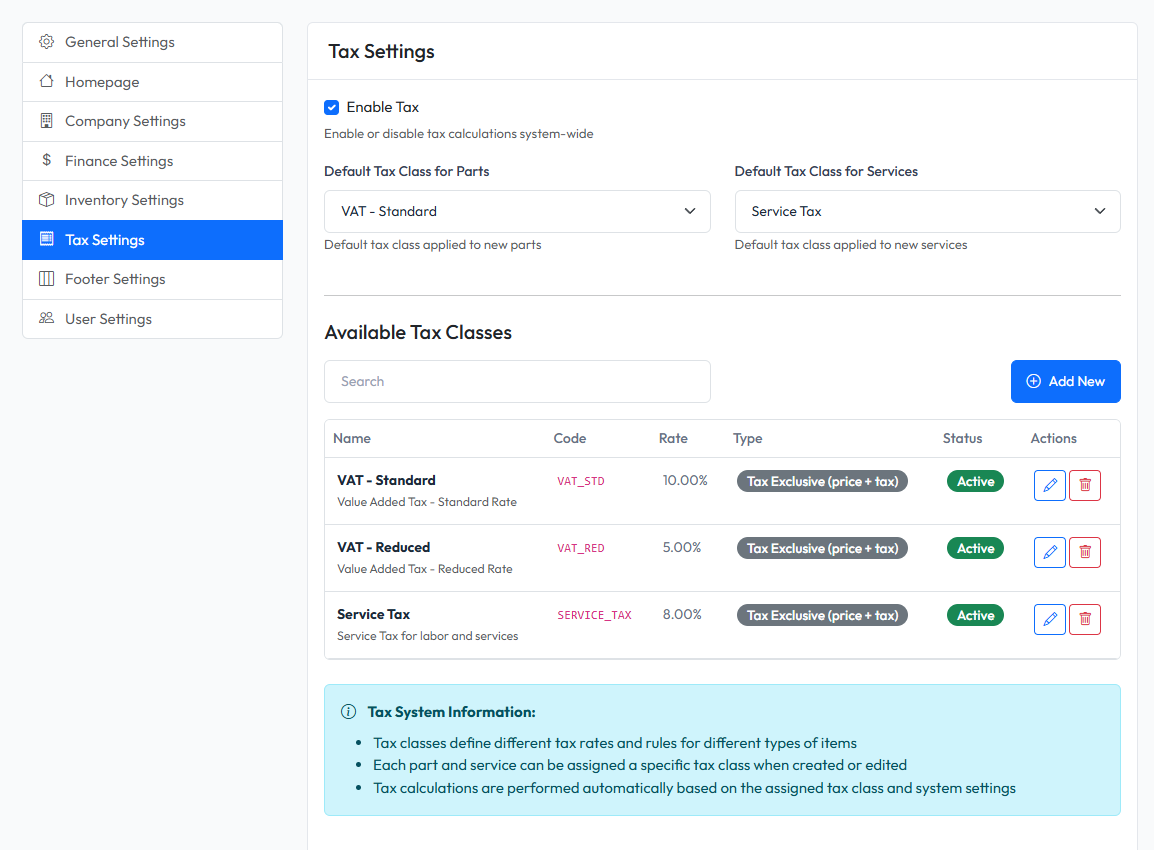
Accessing Tax Settings
- Navigate to Admin > Settings
- Click on Tax tab
Enable/Disable Tax
Toggle the Enable Tax checkbox to turn tax calculation on or off globally.
When disabled:
- No tax is calculated on orders
- Tax columns are hidden from invoices
- All prices are displayed without tax
Default Tax Classes
Set default tax classes that will be automatically applied:
| Setting | Description |
|---|---|
| Default Tax for Parts | Tax class applied to parts by default |
| Default Tax for Services | Tax class applied to services by default |
Managing Tax Classes
Tax classes define different tax rates and calculation methods.
Viewing Tax Classes
The tax classes table shows:
- Name - Display name (e.g., "VAT - Standard")
- Code - Unique identifier (e.g., "VAT_STD")
- Rate - Tax percentage
- Type - Inclusive or Exclusive
- Status - Active or Inactive
Creating a Tax Class
- Click Add New button
- Fill in the form:
- Name - Descriptive name
- Code - Unique code (letters, numbers, underscores)
- Rate - Tax percentage (0-100)
- Type - Tax Inclusive or Exclusive
- Calculation Method - Per Item or Subtotal
- Rounding Mode - Round, Ceiling, or Floor
- Click Save
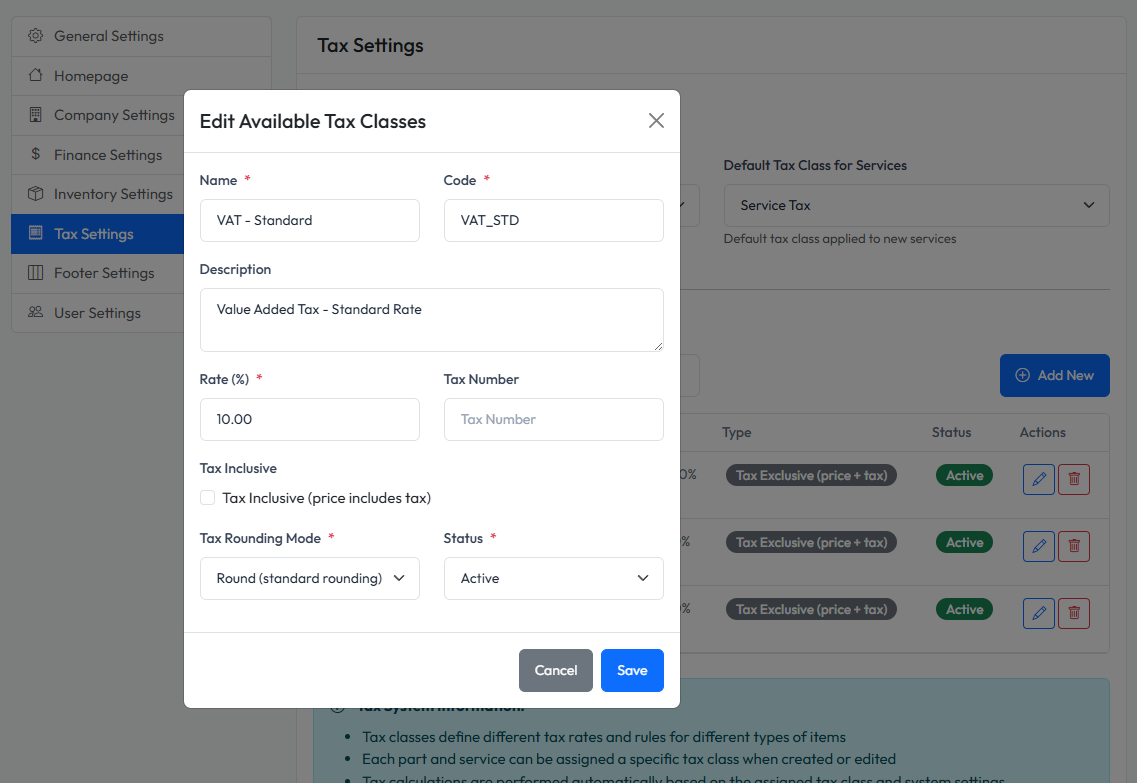
Tax Class Fields
| Field | Description |
|---|---|
| Name | Display name for the tax class |
| Code | Unique identifier (cannot be changed after creation) |
| Rate | Tax percentage (e.g., 10 for 10%) |
| Tax Inclusive | If checked, prices already include tax |
| Calculation Method | How tax is calculated |
| Rounding Mode | How to round tax amounts |
Rounding Modes
- Round - Standard rounding (0.5 rounds up)
- Round Up - Always round up
- Round Down - Always round down
Editing a Tax Class
- Click Edit button on the tax class row
- Modify the fields (Code cannot be changed)
- Click Save
Deleting a Tax Class
- Click Delete button on the tax class row
- Confirm deletion
Warning: Deleting a tax class may affect existing orders that use it.
Toggle Status
Click the status badge to toggle between Active and Inactive.
Inactive tax classes:
- Cannot be selected for new items
- Still apply to existing orders
Common Tax Configurations
Vietnam (VAT 10%)
| Field | Value |
|---|---|
| Name | VAT |
| Code | VAT |
| Rate | 10 |
| Tax Inclusive | No |
| Calculation | Subtotal |
| Rounding | Round |
No Tax
| Field | Value |
|---|---|
| Name | No Tax |
| Code | NO_TAX |
| Rate | 0 |
| Tax Inclusive | No |